
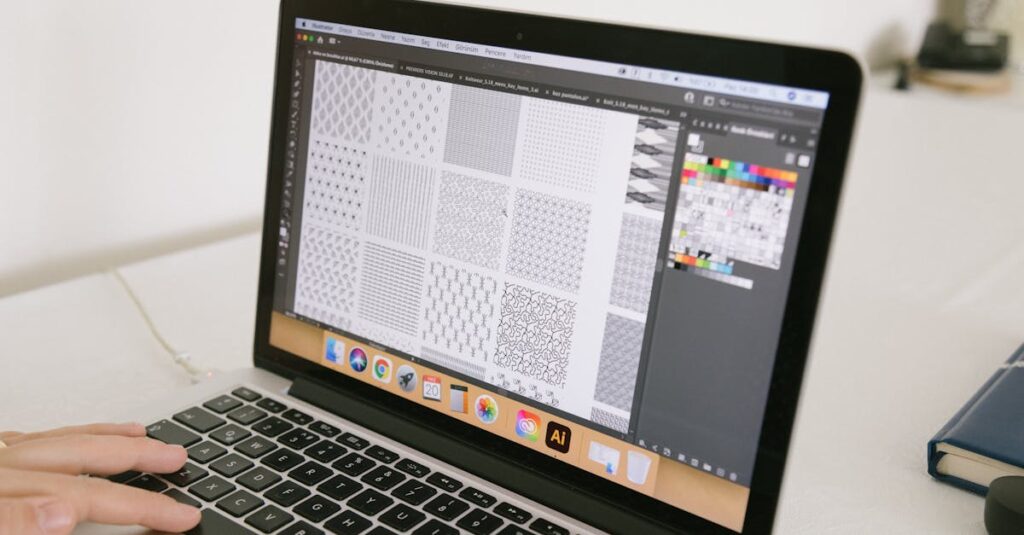
Introduction
Are you shopping for a laptop that can handle heavy design files, big artboards, and demanding software without overheating or slowing down? In 2025, the choices are better than ever, but the differences matter. A laptop that struggles with a simple sketch now will feel unbearable once you open several Photoshop files, a 4K video, and a browser with multiple tabs. That experience is all too real for many designers, so here is a straightforward look at the best laptops for graphic designers this year.
This article breaks things down in plain language, with real examples of how each machine performs and why it might be the right choice for you.
What Graphic Designers Actually Need
Before we look at specific models, it helps to understand what makes a laptop good for graphic design work. Think about your own daily workflow:
- Do you work with large images or prints? That needs power.
- Do you bounce between Illustrator, Photoshop, and video editing? Multitasking matters.
- Are colors critical for your work? Screen accuracy becomes not just nice to have but necessary.
With those questions in mind, here are the core parts you want in a design laptop:
- CPU: Fast performance, especially with multiple cores.
- GPU: A dedicated graphics card, not just basic integrated graphics.
- Display: Sharp, accurate color, and wide coverage of Adobe RGB or DCI-P3 color spaces.
- Memory (RAM): 16GB at a minimum, 32GB if you work on big files or video.
- Storage: Large and fast SSD, so files open quickly and your system feels responsive.
Top 2025 Laptops for Graphic Designers
1. MacBook Pro 16-inch (2025 Model)
There is a reason so many creatives reach for a MacBook Pro. The 16-inch model in 2025 gives designers a generous screen and enough power to handle photo editing, vector work, and even video editing. I remember a friend opening massive panorama files in Photoshop and never seeing the spinning wheel once.
- Why it stands out: Apple’s own silicon chips continue getting faster without getting hot or noisy.
- Display: Bright, accurate colors with a wide range of hues for art and print work.
- Build quality: Solid and light enough to carry around.
Where it might not be ideal for everyone is price: these machines are usually at the premium end. Also, some Windows-only software doesn’t run natively, though many designers use alternatives or virtualization tools.
2. Dell XPS 16 (2025)
Imagine opening a design file with a hundred layers, then switching to 3D software, and your laptop stays calm and responsive. That’s the kind of experience the Dell XPS 16 offers. The larger screen with narrow bezels feels modern and immersive, and the build quality is surprisingly solid.
- Display: Excellent clarity, great for seeing every detail.
- Performance: Strong CPU options and dedicated graphics cards that handle creative workloads well.
- Windows environment: Helpful if your studio runs software unavailable on macOS.
This model is a good all-round choice if you want power without a premium Apple price tag. Battery life can vary depending on how intense your tasks are, but that’s true for most high-performance laptops.
3. HP Spectre x360 (Convertible)
Not all designers need peak horsepower. Some want flexibility for sketching, brainstorming, and meeting with clients. The HP Spectre x360 shines here, especially its convertible design that flips into a tablet-like mode. If you like using a stylus to draw or annotate, this machine feels intuitive.
- Versatility: Great for sketching and layouts, plus it’s sturdy as a daily driver.
- Display: Bright and color-rich, though not quite as accurate as the highest-end models.
- Portability: Light and easy to carry, suitable for work on the go.
This isn’t the choice if you spend hours on color-critical work every day, but it is perfect if you want a laptop that doubles as a creative sketchpad.
4. Lenovo ThinkPad P1
ThinkPads have a reputation for durability and reliability, and the P1 doesn’t disappoint. If you work in a studio where you need a laptop that keeps running under heavy loads day after day, this is worth your attention. I once watched a designer use one to render motion graphics and never once complain about slowdown.
- Performance: Built for heavy tasks, including 3D and motion graphics.
- Keyboard: Excellent, which matters when you spend long hours typing notes or briefs.
- Business-ready: Ports and expandability that suit a professional environment.
The tradeoff here is that it’s not as sleek as some competitors, but that bulk gets you power and a build that feels like it could survive a drop or two.
5. ASUS ProArt StudioBook
ASUS’s ProArt line aims squarely at creatives, and the StudioBook is a strong contender in 2025. It tends to offer excellent performance for the price, with a focus on displays tuned for color accuracy. If you work with photography or layout work where color precision matters, this is worth considering.
- Color accuracy: One of the best screens outside of Apple’s offerings.
- Balance: Good mix of power, weight, and price.
- Ports: Plenty, which is handy when connecting external drives or tablets.
This laptop feels like a thoughtful choice for designers who want pro-level specs without overspending.
Tips for Choosing the Right Laptop
Picking a great laptop is not just about specs on paper. Here are some tips that can help you make a decision that fits how you work:
- Match the laptop to your workflow: If you handle videos or 3D files, get a stronger GPU. If most of your work is still images and vector art, a strong CPU and good display might be enough.
- Think long-term: A bit more RAM now means your machine will stay useful longer.
- Try the keyboard and trackpad: You might not realize how important these are until you use them every day.
- Look at real user reviews: Specs tell one story, but actual use tells another.
Common Mistakes Designers Make When Buying Laptops
Spending a lot doesn’t always mean you get the right machine. I once consulted with a designer who bought an expensive laptop because it looked flashy, only to find it struggled with the files she worked on every day. Here are a few costly mistakes to avoid:
- Ignoring screen quality: A dull or poorly calibrated display can ruin your work more than a slow processor.
- Choosing style over substance: Thin and light is nice, but not if it sacrifices cooling and performance.
- Underestimating storage needs: Design files add up fast. Too little SSD space and you will constantly shuffle files or rely on external drives.
How to Test a Laptop Before You Buy
If you can visit a store, open the software you use most and try a few typical tasks. Resize large images. Scroll through complex artboards. Try exporting a mock file. If it stutters here, it will do so in your real work too.
If you are buying online, watch video reviews that show real usage, not just benchmarks. Ask other designers in forums if they have experience with the model you are considering.
Conclusion
Choosing a laptop for graphic design in 2025 is not simple, but it does get easier when you know what to look for. The right machine depends on how you work, what software you use, and whether you value power or portability more. The models listed here represent solid choices across different needs and budgets.
At the end of the day, a laptop should help you create, not fight you every step of the way. So think about your workflow, try before you buy when possible, and invest in the specs that mean your machine stays capable for years, not just months. If you do that, you will have a tool that supports your creativity and keeps up with your pace in 2025 and beyond.